Mixing
Perform stereo, surround, and spatial audio mixing in VSS, and even customize near-field, mid-field, and far-field monitoring settings to meet the requirements of different mixing tasks.
 Deep Tweak Audio
Virtual monitoring system
A personalized virtual loudspeaker and room environment for music production, mixing, and mastering.
This product is included in the Virtual Spatial Bundle.
Custom HRTF / SOFA
VSS comes with built-in, general-purpose HRTFs ready for immediate use; you can also load your personalized HRTF (.sofa) to create a binaural spatial image tailored to your individual hearing profile.
We also offer a high-precision personalized HRTF generation service.Using a highly accurate 3D model of your upper body, including your ears and ear canals,we can generate an HRTF specifically tailored to you.
Explore PHRTF customization →Loading listener model…
Virtual loudspeakers
Start with a supported monitoring layout, then position loudspeakers within the room geometry to match the listening scenario.

Choose from 2.0, 5.1, 7.1, 7.1.4, 9.1.4, and 9.1.6 virtual loudspeaker layouts. Supports common speaker layouts such as SMPTE, Film, Dolby Atmos, and MPEG-H.Monitor front, side, rear, and overhead channels through headphones without installing a physical multichannel speaker system. The layout view shows the arrangement of speakers around the listener.
Use a stereo pair for two-channel work, surround speakers for horizontal spatial placement, or a height-channel layout for immersive sessions. Customize the speaker arrangement and listening position within the virtual room.
Custom geometry
Allows for the customization of various layout standards, such as SMPTE and Film. Additionally, speaker angles can be fine-tuned according to personal preference to meet specific monitoring requirements.Different room volumes and speaker distances will result in drastically different sound field experiences.
Head tracking
Using camera-based tracking, VSS updates the binaural output as the tracked head pose changes relative to the virtual speakers. Turn toward different parts of the monitoring field while the room remains anchored in space. Orientation and position controls cover yaw, pitch, roll, and X / Y / Z.
Room simulation
Model the listening space through room size, modal behavior, reflection structure, wall materials, and acoustic parameters.
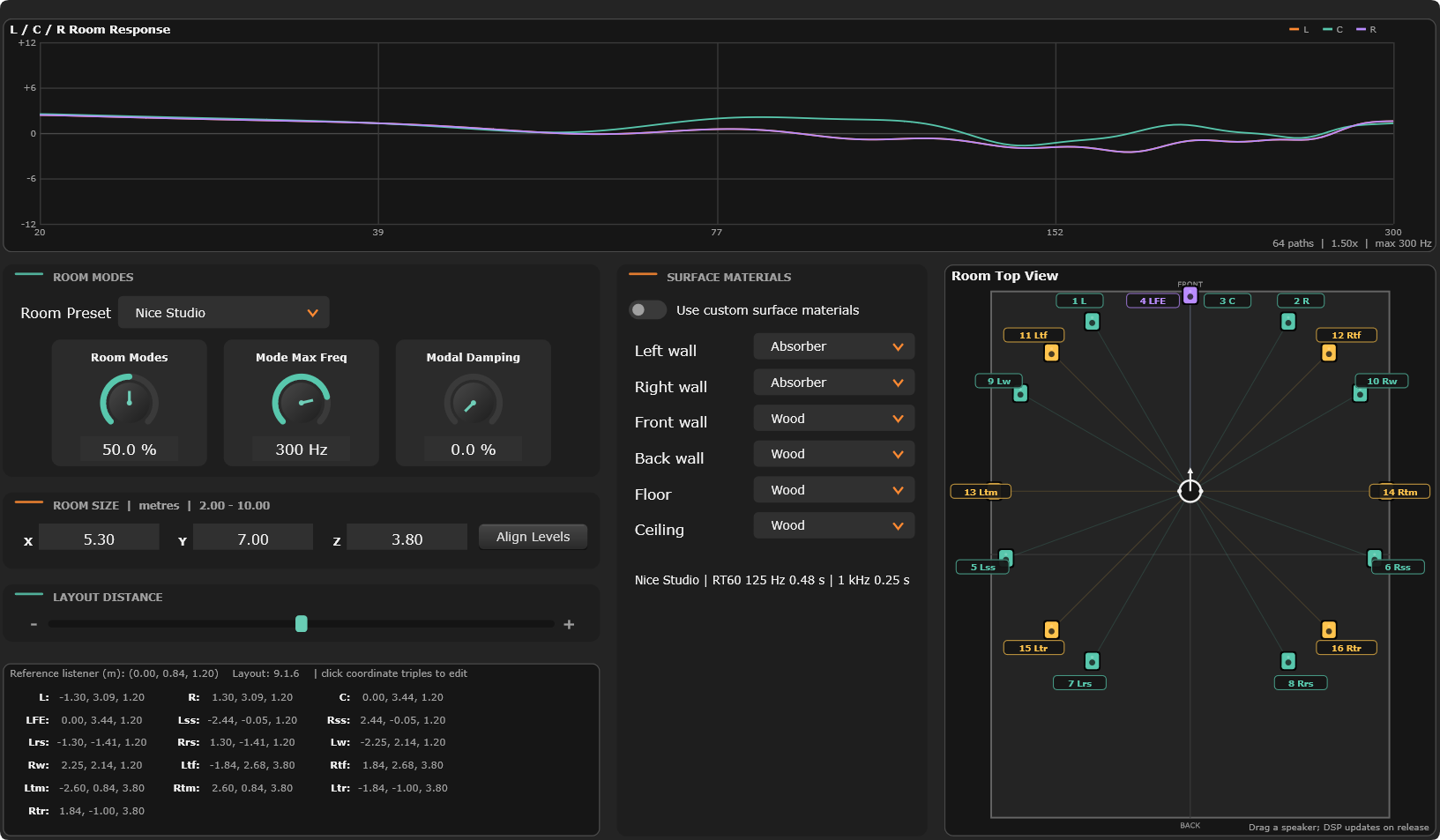
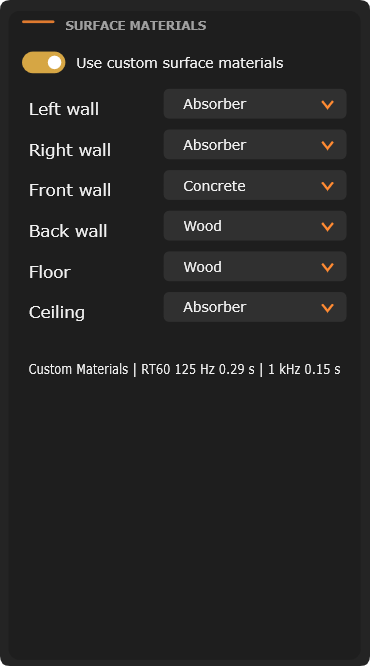
Our original room acoustic algorithm takes into account the directivity of the speaker at different frequency bands and the reflection characteristics of the wall, and also covers the low-frequency resonance characteristics of the room and the attenuation characteristics of high frequencies in the air, so that the sound you hear is more realistic and credible.
Professional application
Virtual Spatial Studio